Download: crtdll.zip
Pak zip file uit en plaats de inhoud crtdll.dll in de programmamap waar DAM.EXE staat (standaard in C:\Program Files (x86)\Dam22).
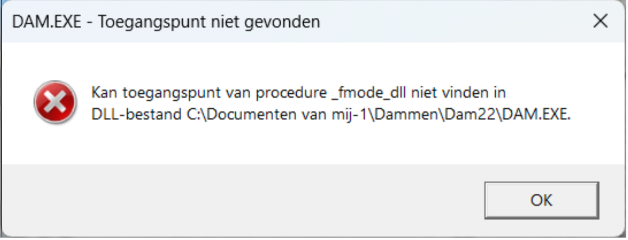
On recent versions of Windows 11, an error occurs when installing or starting Dam 2.2. The error message says: Cannot find entry point of procedure _fmode_dll. The solution is:
Download: crtdll.zip
Extract the zip file and place the contents crtdll.dll in the program folder where DAM.EXE is located (by default in C:\Program Files (x86)\Dam22).
Télécharger: crtdll.zip
Extrayez le fichier zip et placez le contenu crtdll.dll dans le dossier du programme où se trouve DAM.EXE (par défaut dans C:\Program Files (x86)\Dam22).